
5 HubSpot AI Sales Automations to Save Time in 2026
Sales automation used to mean building a workflow, setting a trigger, and hoping your reps kept the CRM tidy enough for it to fire. That playbook still works. But after HubSpot's Fall 2026 release, a lot of the admin your team does by hand can now be handed to AI agents that read your CRM, draft the work, and ask a rep to approve it.
At UNBOUND 2026 (the event formerly known as INBOUND), HubSpot shared a number that should get every sales leader's attention: nine in ten companies now use AI, but only 6% describe the results as transformative. HubSpot's explanation is simple. AI is only as good as the business context it can see. The new sales tools are built around that idea, and they are designed to take the busywork off your reps rather than add another tool to learn.
Here are five ways to put HubSpot's latest sales AI to work, plus the one thing to do before you switch any of them on.
1. Let the Prospecting Agent Handle Research and First-Touch Outreach
Researching accounts, finding the right contact and writing a relevant first email is where reps lose hours every week. HubSpot's updated Prospecting Agent now does much of that groundwork. It tracks more than 40 buying signals, helps assemble the buying group around a deal, and drafts outreach based on what it finds.
The latest version gives reps far more control. They can source contacts on demand, pick a specific outreach "Play" and enrol prospects straight away. New email memory, brand voice settings per Play and company-fit scoring mean the agent writes like your team and focuses on accounts that actually match your ideal customer.
Why this works: Your reps start their day with researched prospects and drafted emails instead of a blank screen. They spend their time reviewing, personalising and having conversations, not hunting for email addresses.
2. Stop Typing Up Notes: Let the Smart CRM Update Itself
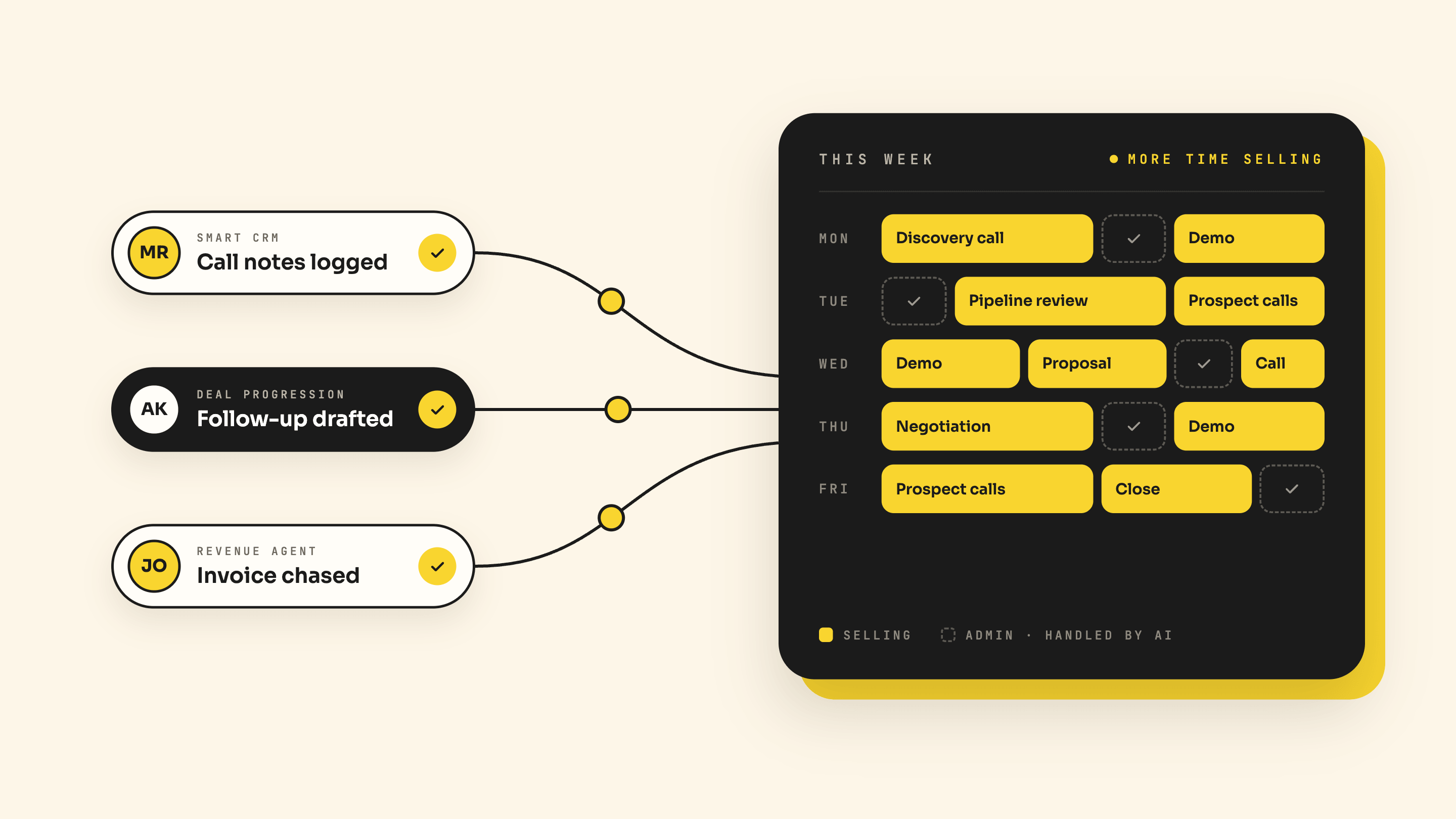
Data entry has always been the most hated part of a sales rep's day, and the reason most CRMs drift out of date. HubSpot's redesigned Smart CRM now captures information from calls, emails and meetings and suggests the field updates for you. A rep reviews the suggestions, tweaks anything that's off, and approves with one click.
HubSpot demonstrated this with a simple out-of-office reply. From one email, the CRM picked up a return date, a new contact to reach in the meantime, an updated job title and a phone number from the signature. That's four updates that would normally die in an inbox. For conversations away from the desk, the new Mobile Notetaker captures sales conversations in real time, whether on video or in person.
Why this works: Your CRM stays accurate without anyone retyping what they just heard. Accurate records also make every other automation and AI agent in HubSpot work better.
3. Keep Every Deal Moving with Deal Progression
In our original version of this post, we recommended workflows that create follow-up tasks and reminders. Deal Progression takes that a step further. It turns emails, call transcripts and meeting notes into CRM updates, drafts the follow-up email and keeps an up-to-date plan for each deal.
Instead of a reminder that says "follow up with Sarah", your rep gets the follow-up already written, based on what Sarah actually said on the call. Deal Progression (previously called Smart Deal Progression) is in public beta for Sales Hub and Service Hub Professional and Enterprise, with the core features included with the seat.
Why this works: Follow-ups go out faster and say something relevant. Fewer deals stall simply because nobody got around to the next step. HubSpot reports that customers using its AI sales tools are cutting the time it takes to close deals by nearly half.
4. Upgrade Your Existing Workflows into AI Agents
You don't need to throw away the lead routing, assignment and nurture workflows you've already built. HubSpot's Agent Builder (formerly Breeze Studio) can now convert an existing workflow into an agentic version in one click. Agents can also be triggered by far more than CRM events, including a Slack message, a spreadsheet or a schedule.
That means a routing workflow that once assigned leads by territory can become an agent that also reads the lead's context, checks fit and writes a handover note for the rep. Agent Hub (formerly Breeze Agents) gives you one place to see every agent running across sales, marketing and service, what it's doing and what it produced. Agent Builder is available on Professional and Enterprise, and Starter customers can now build custom agents too.
Why this works: You keep the structure and logic your team already trusts, and add judgement where rules alone fall short. Migrate one workflow at a time, when it makes sense, rather than rebuilding everything at once.
5. Speed Up Quotes and Chase Payments with Revenue Hub
The admin doesn't stop when a prospect says yes. Quotes, contracts, renewals and late invoices all eat into time that could be spent selling. HubSpot's Revenue Hub now generates quotes using the full context of the deal, and HubSpot says one early customer went from creating a quote to a signed agreement in under 15 minutes.
Revenue Hub Contracts brings agreements, amendments, renewals and billing into one place, and CPQ now supports standard pricing across markets, segments and deal types so quotes stay consistent. Then there's the new Revenue Agent, which follows up on unpaid invoices automatically. It's in public beta on all paid plans and uses credits per invoice, so it's worth testing on a small batch first.
Why this works: Your reps stop being part-time admins and debt collectors. Quotes go out faster, pricing stays consistent, and cash comes in without awkward chasing.
Before You Switch Anything On: Check Context Home
Every one of these agents reads from the same place first: Context Home. It's where HubSpot stores what it knows about your business, including your ideal customer profile, products, brand voice and positioning. It's available on all plans, and it shows how complete that context is and where the gaps are.
If nobody on your team has looked at it, your agents may be working from an auto-generated or outdated picture of your business. Bad context doesn't make an AI agent cautious. It makes it confidently wrong. Our advice:
- Open Context Home and read it as a stranger would. Fix anything that's out of date.
- Pick one sales workflow to start with, such as prospecting or deal follow-ups.
- Check which agents use HubSpot credits, run them in simulation mode and set a usage cap before going live.
In Conclusion
HubSpot's sales tools have moved from automating tasks to doing the work. The Prospecting Agent researches and drafts outreach, the Smart CRM updates itself, Deal Progression keeps deals moving, Agent Builder upgrades your existing workflows, and Revenue Hub takes the friction out of quotes and payments. Your reps get their time back for what really matters: building relationships and closing deals.
The teams that will get the most from these tools are the ones with clean, well-structured CRM data and a clear plan for where AI fits. As a HubSpot Diamond Solutions Partner, Web Journey helps businesses get that foundation right and roll out AI in a way that actually saves time. Ready to put HubSpot's sales AI to work? Get in touch with our team.