
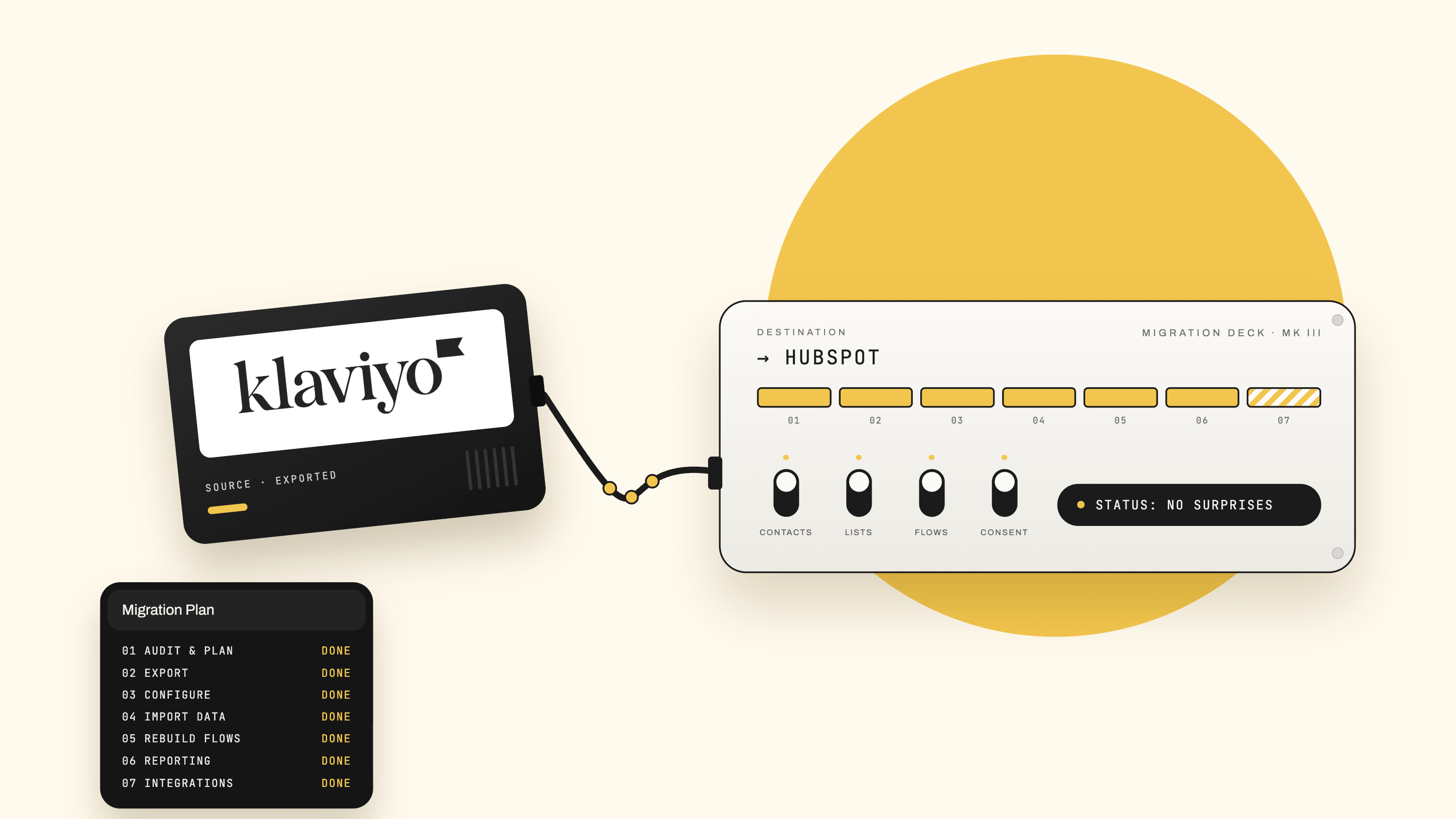
Most "Klaviyo to HubSpot migration" guides are checklists. Export your data, import your data, rebuild your emails, go live. They read like they were written by someone who has never actually done one — because the checklist is the easy part. The hard part is everything the checklist doesn't warn you about: the two platforms think about your customers in fundamentally different ways, your email deliverability will almost certainly dip if you're not careful, and a single wrong move on consent mapping can put you on the wrong side of GDPR on day one.
This guide is written for the reality of the project. It still gives you the step-by-step, but it spends most of its time on the four things that actually determine whether your migration succeeds or quietly costs you revenue: the data-model mismatch, deliverability, consent, and cost. Get those right and the rest is admin.
First, understand what you're actually changing
Before a single record moves, it's worth being honest about why Klaviyo and HubSpot are not like-for-like replacements — because that mismatch is the root cause of almost every migration headache.Klaviyo is an event-and-behaviour engine built for ecommerce. It's organised around profiles and a real-time stream of events: viewed product, added to cart, started checkout, placed order, and so on. It syncs a live product catalogue, tracks browse abandonment natively, and layers on predictive analytics like expected date of next order and predicted customer lifetime value. Segmentation is built on that behavioural firehose, and it updates in real time.HubSpot is a CRM-first customer platform. It's organised around contact, company, deal, and ticket records on a single shared timeline. Its strengths are lifecycle stages, lead scoring, cross-team workflows, form-to-deal attribution, and reporting that ties marketing activity back to revenue and sales.
Its ecommerce capabilities are functional — it integrates with Shopify and WooCommerce — but the integration is comparatively surface-level: you can sync contacts and basic order data, but you don't get Klaviyo's real-time catalogue sync, native browse-abandonment tracking, or predictive CLV out of the box.Neither is "better" in the abstract. But the direction of travel matters.
Moving from Klaviyo to HubSpot usually means gaining a unified customer record, stronger sales-and-service alignment, and full-funnel reporting — while giving up some depth in real-time behavioural ecommerce automation. If your business is a pure direct-to-consumer store where email and SMS are the marketing function, pause and confirm HubSpot is genuinely the right home. If you're consolidating onto a CRM your sales and service teams already live in, it usually is. Either way, migrate with your eyes open.
What you keep, what changes, and what you lose
Set this expectation with stakeholders early. It prevents the "why doesn't HubSpot just do what Klaviyo did?" conversation three weeks after go-live.
- You keep: contacts, subscription status, purchase history (as properties or custom objects), your core flows (rebuilt), templates (rebuilt), and your reporting goals.
- What changes: segmentation logic has to be re-expressed in HubSpot's list and workflow model; events become HubSpot custom behavioural events or properties; "flows" become "workflows"; your automation triggers may need to be rethought rather than copied.
- What you may lose (or have to rebuild via integration): native browse-abandonment, real-time product-feed personalisation, and predictive metrics for example predicted CLV and next-order date. If these drive real revenue for you, budget for a Shopify/ecommerce connector or a custom integration to recreate them — don't assume HubSpot ships them.
Write this down. It becomes your scope document.
The cost model that catches people out
HubSpot and Klaviyo bill on completely different logic, and misunderstanding this is one of the most expensive mistakes in the whole project.Klaviyo charges on live profiles — effectively everyone in your account — with no seat fees and no onboarding fee. Recent pricing changes mean you're billed on all live profiles rather than only those you email in a given month, which pushed up costs for brands carrying large unengaged lists.HubSpot uses a "marketing contacts" model layered on top of seat-based pricing. The clever part: only contacts you designate as marketing contacts count towards your billing tier; everyone else can sit in the CRM as a non-marketing contact at no cost. The dangerous part: if you bulk-import your entire Klaviyo database and flag everyone as a marketing contact, you can inflate your bill immediately and unnecessarily.Two more things to plan for:
- The Starter-to-Professional step-change. Real marketing automation — multi-step workflows, the good reporting, A/B testing — lives in Marketing Hub Professional, not Starter. The jump in price between the two tiers is large and surprises most first-time buyers, and Professional typically carries a mandatory one-off onboarding fee in year one. Check HubSpot's current pricing page for exact figures before you commit, because these numbers move.
- Segment before you import. Decide now which contacts are genuinely worth marketing to. Migration is the perfect moment to leave disengaged, never-opened, and long-dormant contacts behind as non-marketing contacts (or not import them at all). It protects both your bill and — as we'll see — your deliverability.
The phased plan
With the strategy set, here's the execution. I've grouped the work into phases rather than a flat list, because sequence matters — and because two phases (deliverability and consent) are big enough to deserve their own sections afterwards.
Phase 1 — Audit and plan
Inventory everything in Klaviyo. Every flow, campaign, template, signup form, list, segment, custom property, event, and integration. For each flow, document the trigger, the timing, the conditions, the branch logic, and the messaging. This document is what you rebuild against — and you'll be amazed how much undocumented logic is quietly running your revenue.Define success criteria. Not "move to HubSpot" but measurable outcomes: no drop in flow-driven revenue after 60 days, deliverability restored to baseline within four weeks, all consent states preserved, sales and marketing on one timeline. Vague goals produce vague migrations.Map your data model on paper before you touch either platform. This is the single highest-leverage hour of the project:
- Klaviyo profiles → HubSpot contacts
- Klaviyo custom properties → HubSpot custom contact properties (match the data type deliberately — dates as dates, not text)
- Klaviyo lists and segments → HubSpot static lists (for fixed groups) and active lists (for dynamic, rule-based membership)
- Klaviyo events (Placed Order, Viewed Product, etc.) → HubSpot custom behavioural events or properties, depending on how you'll use them
- Klaviyo suppression list / unsubscribes → HubSpot unsubscribed / opted-out status (this one is non-negotiable — see the consent section)
Build a realistic timeline with a parallel-run window. A clean migration is not a weekend cutover. Expect several weeks, most of it spent on deliverability warm-up and testing while both platforms run side by side.
Phase 2 — Export from Klaviyo
Export contacts and subscription status together. Pull all profiles with their custom fields and, critically, their consent state — subscribed, never subscribed, unsubscribed, and suppressed must all be distinguishable in your export. Losing this distinction is the compliance failure mode.Segment your export by engagement while you're at it. Create separate exports for your most engaged contacts (opened or clicked in the last 30, 60, and 90 days). You'll need these for the deliverability warm-up. This is prep, not busywork.Export your assets for reference. Templates, signup forms, and — most importantly — your documented flow logic. You won't import these directly; you'll rebuild them. Treat the exports as the reference spec.
Phase 3 — Configure HubSpot before importing anything
Match your subscription and property setup to your plan. Confirm your subscription tier supports what you need (Professional for real workflows). Create your custom properties first, so the import has somewhere clean to land. Set up your subscription types and — if you operate under GDPR, which you do if you market to the UK or EU — enable HubSpot's privacy and consent tooling now, not later.Set up authentication and your sending domain. Configure SPF, DKIM, and DMARC for HubSpot. Wherever possible, keep your existing, trusted "From" domain and add a new sending/return-path subdomain for HubSpot rather than changing the visible domain your subscribers already recognise. (More on why in the deliverability section.)
Phase 4 — Import data (carefully)
Test with a small sample first. Import a few hundred records, verify every field landed in the right property with the right type, confirm consent status mapped correctly, and only then run the full import. Sample imports catch mapping errors while they're cheap to fix.Flag marketing vs non-marketing contacts deliberately. Apply the segmentation decision you made in the cost section. Don't default everyone to "marketing contact."Run a full quality check. After the complete import, review for completeness, accuracy, duplicates, and consistency. Deduplicate before you send anything — duplicates in a fresh CRM compound quickly.
Phase 5 — Rebuild assets
Templates and forms. Rebuild core templates in HubSpot's editor (drag-and-drop or custom HTML), keeping brand consistency. Recreate signup forms and landing pages, and — if you've enabled GDPR tooling — make sure each form captures the correct consent and ties to the right subscription type.Workflows. Translate Klaviyo flows into HubSpot workflows using your documented logic. Resist the urge to copy them literally; HubSpot's model rewards rethinking a flow around CRM properties and lifecycle stages rather than reproducing Klaviyo's event triggers one-for-one. Test every branch with real sample contacts before it goes anywhere near your list.
Phase 6 — Reporting, scoring, and segmentation
Rebuild dashboards to your success criteria, not Klaviyo's defaults. Recreate the reports that map to the KPIs you defined in Phase 1, so you can prove — with data — that revenue held through the transition.Adapt, don't port, lead scoring. HubSpot's scoring model is property- and behaviour-based and differs from Klaviyo's. Rebuild it around how your sales team actually qualifies, rather than translating Klaviyo's model literally.Rebuild segments as active lists. Re-express your behavioural and property-based segments as HubSpot active lists so they stay dynamic.
Phase 7 — Integrations
Reconnect your stack. Wire up your ecommerce platform, and any social, webinar, or transactional tools, so HubSpot becomes the single source of truth. This is also where you decide how to recreate any ecommerce behaviours (browse abandonment, catalogue personalisation) that HubSpot doesn't do natively.
Deliverability: the part that quietly costs you money
Here is the section every generic guide leaves out, and it's the one most likely to hurt you.When you switch email platforms, mailbox providers treat you as a brand-new sender — even if your domain has years of good history. Sender trust is tied to both your domain and the sending infrastructure (the IPs and servers). Your HubSpot emails leave from HubSpot's infrastructure, which has no track record for your domain. Gmail, Outlook, and Yahoo have no reason yet to trust it. If you export your whole list and blast a campaign on day one, you invite spam-folder placement, bounces, and complaints that can damage your reputation for weeks.So you warm up. The principles are well established across the deliverability industry:
- Start with your most engaged contacts — the 30-day openers and clickers you exported earlier. Engaged recipients generate the positive signals (opens, clicks, low complaints) that build trust fastest.
- Grow volume gradually. A common rule of thumb is increasing send volume by roughly 25–35% per send, watching your metrics at each step rather than jumping straight to full list size.
- Expect a dip, and don't panic. Deliverability typically stabilises within two to four weeks of steady, gradual sending, though building full reputation at the major providers can take up to around eight weeks. A short-term drop is a normal transition, not a failure — judge the trend, not the first send.
- Keep the visible domain, change the infrastructure underneath. If your current "From" domain has good engagement, keep it and warm the new HubSpot setup beneath it with a new sending subdomain, rather than changing the domain your subscribers recognise.
- Get authentication right first. Many brands switch platforms without correctly reconfiguring SPF, DKIM, and DMARC — so the same deliverability problems follow them. Set these up in HubSpot and verify them before your first send.
- Leave dormant contacts behind. Long-inactive addresses are a leading cause of hard bounces, complaints, and spam-trap hits. Migration is your opportunity for a clean list — take it.
- Monitor with the right tools. Use Google Postmaster Tools and DMARC reports to watch reputation, spam-placement, and authentication results during the warm-up, so you can catch a problem while it's still small.
Keep the old platform alive during warm-up. Don't cancel Klaviyo the moment you go live. Running it in parallel lets you handle late bounces and unsubscribe requests, and gives you a fallback while HubSpot's reputation builds.
Consent and GDPR: get this wrong and nothing else matters
If you market to anyone in the UK or EU, consent isn't a luxury — it's the difference between a compliant programme and a liability. Klaviyo and HubSpot record consent differently, and the mapping needs care.Understand HubSpot's model. HubSpot separates the lawful basis to process data from the lawful basis to communicate with a contact — you can have one without the other. Communication permission is expressed through subscription types, each with a status of opted-in, opted-out, or not specified. When you enable GDPR functionality, HubSpot adds properties to record the legal basis and consent, creating the audit trail regulators expect.The setting that surprises everyone. With GDPR options — specifically "legal basis required" — switched on, HubSpot will not send marketing email to a contact who lacks a recorded opt-in for that email's subscription type. Note the crucial subtlety: "unsubscribed from all email" is a separate property from "marketing contact status," and neither is a single master switch. A contact can be a marketing contact and still be blocked from a given send because they were never opted into that specific subscription type. If you import contacts without mapping opt-in state to the correct subscription type, you can find your campaigns silently held back — contacts sitting as a grey circle when they need to be green.So map consent explicitly, per subscription type:
- Klaviyo subscribed profiles → opted-in to the matching HubSpot subscription type, with legal basis recorded
- Klaviyo unsubscribed and suppressed profiles → opted-out / unsubscribed in HubSpot, and never quietly re-activated
- Klaviyo never subscribed profiles → left without a marketing opt-in (import as non-marketing contacts if you keep them at all)
Preserve the audit trail. Wherever you can, carry over when and how consent was given. Post-migration, a contact whose consent history is a blank slate is a contact you can't confidently email. And make sure every rebuilt HubSpot form captures fresh consent tied to the right subscription type, with no pre-ticked boxes — GDPR requires consent to be freely given, specific, informed, and unambiguous.Treat this phase as the compliance backbone of the whole project. It's the one area where "we'll tidy it up later" can turn into a genuine legal problem.
Cutover, parallel run, and rollback
Run both platforms in parallel. For the warm-up window, HubSpot handles a growing share of sends to engaged contacts while Klaviyo continues to cover the rest. This de-risks the transition and gives your team time to spot issues on live traffic without betting the whole programme on a single switch.Do a final data sync at cutover. Just before you fully switch, sync any contacts, consent changes, and events created since your main import, so nothing from the transition window is lost.Have a rollback plan. Before go-live, agree what "roll back" means: keep Klaviyo active and un-cancelled, keep your exports, and define the trigger conditions (for example, a deliverability or revenue drop beyond an agreed threshold) that would send you back to Klaviyo temporarily while you fix the issue. A migration with no reverse gear is a gamble, not a plan.Then switch and monitor closely. Activate your HubSpot campaigns, forms, and workflows, and watch performance daily for the first few weeks — deliverability, flow-driven revenue, form conversion, and workflow enrolment. Address anomalies immediately; small problems in a new system compound fast.
After go-live: train, tune, optimise
Train the teams who'll actually use it. HubSpot's value is cross-functional, so onboard marketing, sales, and service together and be explicit about what's changed from Klaviyo — the workflow model, the reporting, the consent tooling. Adoption is where consolidation projects deliver or die.Optimise iteratively. Once you're stable, use HubSpot's reporting to improve workflows, scoring, and segmentation as your team builds fluency. Revisit which contacts are marketing contacts to keep your bill lean. And keep watching deliverability until your new sending reputation is firmly established.
Pre-flight checklist
Before you send a single marketing email from HubSpot, confirm:
- Full Klaviyo inventory documented (flows, events, properties, integrations)
- Data model mapped on paper, including consent states
- Success criteria defined and measurable
- Custom properties created in HubSpot before import
- SPF, DKIM, and DMARC configured and verified in HubSpot
- Visible sending domain preserved; new sending subdomain set up
- GDPR / consent tooling enabled and subscription types created
- Sample import tested and field mapping verified
- Marketing vs non-marketing contacts flagged deliberately
- Duplicates removed
- Engagement-based export segments ready for warm-up
- Klaviyo still active as fallback
- Rollback conditions agreed
The five mistakes that sink migrations
- Treating it as a straight swap. The data models differ; plan for translation, not copy-paste.
- Blasting the full list on day one. New infrastructure means a new reputation. Warm up, or watch your inbox placement collapse.
- Importing everyone as a marketing contact. You'll inflate your bill and drag disengaged addresses into your warm-up.
- Mishandling consent. Un-mapped opt-in states mean either silently blocked campaigns or, worse, emailing people you shouldn't. Under GDPR, that's a real risk.
- Cancelling Klaviyo too soon. Keep it running for late bounces, unsubscribes, and as a fallback until HubSpot is proven.
The bottom line
A Klaviyo-to-HubSpot migration is very doable — but it rewards teams who respect where the two platforms genuinely differ and punishes teams who treat it as export-then-import. Spend your effort on the four things that decide the outcome: the data model, deliverability, consent, and cost.
Run both platforms in parallel, warm your sending reputation properly, map every consent state deliberately, and keep a rollback in your back pocket. Do that, and you'll land in HubSpot with your revenue intact and a unified customer platform to build on — which is the whole reason you're moving in the first place.